Solutions » Microsoft Cloud Migration Services » Microsoft 365 Tenant to Tenant Migration

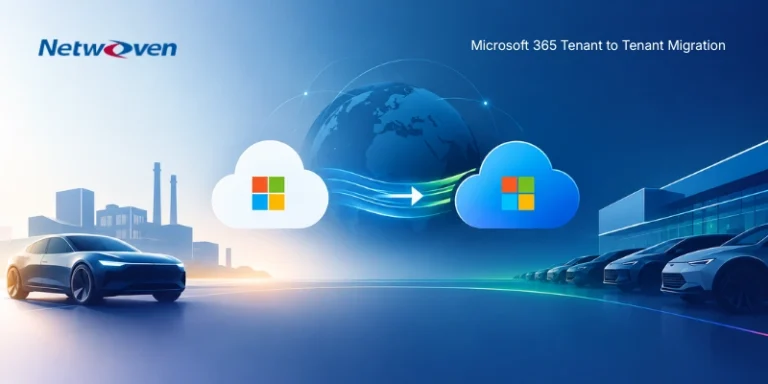
Microsoft 365 Tenant to Tenant Migration Services

One partner. Every workload. No blind spots.

Use your actual estate to develop a credible migration estimate.

Gartner®-recognized migration service provider

YOUR ENTIRE TRANSITION. CONNECTED.

NetwovenONE ACCOUNTABLE PARTNER
DiscoverKnow what matters
EngineerChoose the right path
TransitionDeliver the outcome
The Microsoft Cloud
  • Microsoft 365
  • Dynamics 365
  • Power Platform
  • Azure
  • Fabric

Workloads accounted for People prepared

Across your Microsoft estate

  • Entra ID
  • Exchange
  • SharePoint
  • OneDrive
  • Teams
  • Power Platform
  • Dynamics 365
  • Azure
Explore all workloadsShow fewer workloads
  • Viva Engage
  • Fabric
  • Power BI
  • Power Apps
  • Power Automate
  • Dataverse
  • Intune
  • Purview
  • Microsoft Defender
  • Business Central
  • Copilot & SPO agents
  • Copilot Studio agents
  • Foundry agents
Explore capability families and source environments →

Trusted by Leading Brands

enovis logo
keysights logo
Arctera logo
Global Foundries Logo
Gersh logo
Sitime Logo
synopsys logo
illinois tool works logo
edinburg center

Built around your business moment

Your scenario.
A deliberate path forward.

Different triggers. Different decisions.
The same accountability for your transition.

One partner across the Microsoft Cloud

The whole estate.
An intentional plan for each part.

The Microsoft Cloud
  • Microsoft 365
  • Dynamics 365
  • Power Platform
  • Azure
  • Fabric

Identity & access

Active Directory, Entra ID, domains, guests, federation, and SSO applications.

Productivity & collaboration

Exchange, OneDrive, SharePoint, Teams, Microsoft 365 Groups, and Viva Engage.

Security & compliance

Purview, Defender, information protection, retention, DLP, and related controls.

Applications, automation & AI

Power Apps, Power Automate, Dataverse, legacy forms and workflows, and Copilot, SharePoint, Copilot Studio, and Foundry agents.

Data & analytics

Power BI, Fabric, connected sources, gateways, and pipelines.

Devices & workplace

Entra device registration, Intune, endpoints, and workplace dependencies.

Business applications

Dynamics 365, Business Central, and the integrations that support operations.

Azure infrastructure

Landing zones, subscriptions, infrastructure, applications, and data services.

From Microsoft and beyond. Into your Microsoft Cloud.

A broader estate.
A connected transition.

Bring Microsoft tenants, on-premises environments, and other platforms into your intended Microsoft architecture.

Where you’re migrating from

Microsoft Cloud

  • Microsoft 365
  • Dynamics 365
  • Power Platform
  • Azure
  • Fabric
  • M365 Copilot
  • Copilot Studio
  • Microsoft Foundry

On-premises environments

  • Active Directory
  • SharePoint
  • Exchange
  • File shares

Other platforms

  • Google Workspace
  • Box
  • Dropbox
  • Slack
  • Jive
  • Zoom
  • Webex
  • Okta
  • Splunk
  • CrowdStrike
  • JumpCloud
  • Salesforce
  • Tableau
NetwovenDiscoverEngineerTransition

One recommended path
for each workload.

Your Microsoft destination

Microsoft 365

  • Exchange
  • SharePoint
  • OneDrive
  • Teams
  • Viva Engage

Business applications, automation, data & AI

  • Power Platform
  • Power Apps
  • Power Automate
  • Dataverse
  • Dynamics 365
  • Business Central
  • Fabric
  • Power BI
  • Copilot & SPO agents
  • Copilot Studio agents
  • Foundry agents

Cloud, identity, devices & security

  • Azure
  • Entra ID
  • Intune
  • Purview
  • Microsoft Defender
  • Microsoft Sentinel

Coming from outside Microsoft?

Google Workspace, Box, Dropbox, Slack, Jive, file shares, and legacy platforms can be part of the same transition.

Intelligence before estimates

Know your estate.
Scope what matters.

A clearer picture of what exists.
A better decision about what moves.

Comprehensive, accelerated, scripted, AI-enabled discovery connects inventory, volumetrics, usage, and dependencies across your Microsoft estate.

From SharePoint and Teams content to applications, automation, data, and agents—understand the scope before you shape the transition.

01

Inventory & volumetrics

What exists? How much? Where?

Map workloads, content volumes, ownership, and distribution across the estate.

02

Usage & activity

What’s being used?

Assess usage across content, applications, business processes, automations, and agents. Flag potential redundancy, obsolescence, or limited use for owner review.

03

Dependencies & context

What relies on what?

Connect technical dependencies with business-owner input and retention requirements.

04

Scope & recommendations

What should happen next?

Recommend what to migrate, reconfigure, rebuild, archive, or retire—and use that scope to inform the estimate.

Evidence for a better migration decision.

Meaningful scope. Clear treatments. A credible estimate.

Deeper insight in practice

Power Platform:
beyond the object count.

Thousands of apps, flows, reports, and dashboards can tell only part of the story. Connecting them to underlying data sources and examining activity and freshness helps distinguish active business solutions from potential ROT.

Apps, flows & reportsData dependenciesActivity & freshness

One example of deeper workload analysis. Signals inform review with owners; they do not establish business value or authorize retirement on their own.

People make the transition

A successful transition starts before cutover and continues after.

Clear expectations before.
Coordinated support during.
Confidence and adoption after.

Every migration includes an appropriate level of adoption and change management—from preparing people for new ways of working through coexistence, go-live, and post-cutover stabilization.

Our AI-enabled ACM Workbench helps specialists create grounded communications, training, and support materials. SharePoint or Teams help centers, FAQs, and content-grounded agents give users a place to find answers before and after cutover.

Hypercare resolves issues, reinforces guidance, and prepares users and support teams for ongoing operations.

01

Prepare

Align stakeholders, set expectations, and assess readiness before cutover.

02

Communicate

Provide clear instructions before the change and timely updates through stabilization.

03

Enable

Equip users with training and self-service guidance as they adopt the new environment.

04

Support

Coordinate go-live, deliver scoped hypercare, and hand over to ongoing support.

Microsoft-native

For eligible workloads, Microsoft’s native cross-tenant capabilities can reduce transfer time and third-party tooling cost.

We evaluate prerequisites, move-versus-copy implications, recovery options, and Microsoft support dependencies.

Specialized platforms

Bulk migration, incrementals, and a final delta prepare the destination before users transition.

Selected for workload coverage, staging needs, recovery tolerance, and your project’s characteristics.

Netwoven engineering

Our scripts, accelerators, and methods extend platform capabilities and connect the workstreams.

Including specialized protected-content handling, dependency analysis, link remediation, and monitoring where scoped.

Accountability through acceptance

One connected delivery lifecycle.

From the first inventory to a validated target state.

01

Discovery

02

Assessment

03

Migration / transition strategy & architecture

04

Readiness and mapping

05

Pilot, UAT & remediation

06

Bulk migration, UAT & remediation

07

Final delta / CTM move & cutover

08

Hypercare

09

Validated acceptance

The sequence adapts to the migration path. Day Two describes a completed migration state, not the next calendar day.

For ongoing acquisitions and divestitures

A migration program.
Built to repeat.

A standing Tenant Migration Program brings consistent intake, discovery, runbooks, and acceptance to repeated transactions. Netwoven can lead the program or deliver within an adviser-led engagement.

One accountable partner.
Across the next transaction.
And the one after that.

Success Stories

Client Success Stories

A clearer starting point

Your migration questions.

Is this only a Microsoft 365 migration service?

The offering spans Microsoft 365, Dynamics 365, Power Platform, and Azure. Identity, devices, security, applications, and non-Microsoft sources are assessed alongside collaboration and content.

What do we receive before paid discovery?

You run reviewed inventory scripts and share the outputs for analysis. We provide a findings summary and an estimate or proposal. Detailed reports and deeper assessment are part of a signed discovery engagement.

Will every workload move the same way?

We recommend a treatment for each workload based on business relevance, dependencies, eligibility, and the target state.

Does MTO always get removed after migration?

For consolidation it may be temporary, with its exit planned from the outset. For tenant separation, MTO may remain as part of the intended collaboration architecture.

Can you provide client references?

Relevant client references are available upon request.

Scope your migration

Start with clarity.
Move with confidence.

Tell us about your transition. We’ll discuss the scenario, the estate, and a practical path to an informed scope and estimate.

Latest Insights

Start your digital transformation with confidence

Whether you're planning a migration or optimizing your environment, our experts are here to help you move faster and more securely.

Prefer to call?

+1-877-638-9683

Drop us a mail

info@netwoven.com

Schedule a Capability Discovery Call

🔒 No spam. Your information stays private.