Introduction
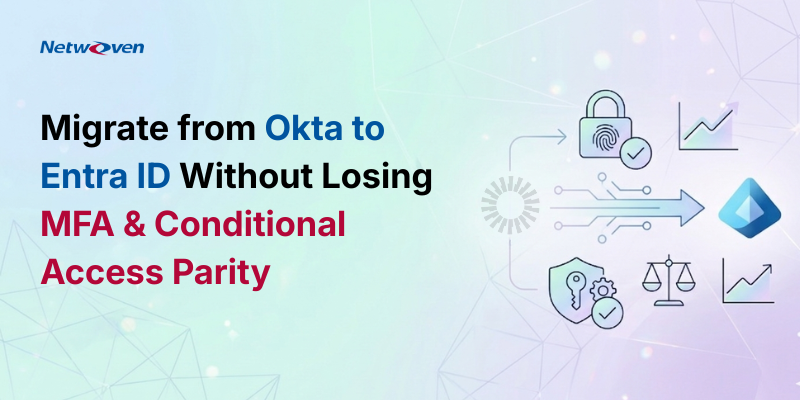
There’s a gap between your identity security policy document and your live Microsoft 365 enforcement posture. That gap has a name: Conditional Access parity anxiety — and it’s the silent killer that accompanies every board-level security review during an Okta to Entra ID migration.
Let’s be direct. Most enterprise security leaders have invested significantly in documenting their MFA and access control policies. They’ve written the standards. They’ve briefed the board. They’ve bought the licenses. Yet they’re afraid of waking up to a weaker MFA and Conditional Access posture than they had yesterday. The risk that, in the name of consolidation and cost savings, you quietly slip backwards on security controls instead of forwards. When a real audit or an incident surfaces, the question that surfaces isn’t whether the policy existed, it’s whether the policy ran. MFA and conditional access don’t map 1:1.
Why parity anxiety is real
Okta and Microsoft Entra ID were never designed to be policy compatible twins.
- Policy models differ: Okta’s sign-on policies, app policies, and global rules don’t map 1:1 to Entra Conditional Access.
- MFA methods don’t line up exactly: factors, enrollment flows, and step-up triggers behave differently across platforms.
- Network and device context are modeled differently: “network zones” and device trust signals don’t translate directly.
For an executive, that creates a simple but uncomfortable question while deciding on ‘Migrating Okta to Microsoft Entra ID’: “Can my team really prove that our Entra policies are at least as strong as what we had in Okta—for every user, every app, every scenario?”
The Core Strength of Microsoft Entra ID Security Architecture
The policy said that MFA was required. The Conditional Access rule had a user exclusion group created during a “temporary pilot” three years ago. That group had 847 members – including two compromised service accounts.
-Composite scenario drawn from our real enterprise security assessments
Microsoft 365 is no longer just a productivity suite — it is the operating layer of the modern enterprise with modern security platform, providing a rich, policy-driven framework for governing every sigh-in across every application – from M365 SAAS Services to 3rd party SAAS integration via SAML/OIDC. At the center of this ecosystem sits Conditional Access – Microsoft’s engine for evaluating who is signing in, from what device, from where, with what risk signal, and what they should be allowed to do. Done right, it’s an extraordinarily powerful zero-trust enforcement layer. Done wrong — or left half-configured — it’s a confidence illusion.
What “Parity Anxiety” Actually Looks Like
Parity anxiety isn’t hypothetical — it shows up in predictable, recurring patterns that security leaders recognize when they’re being honest with themselves. Here are the most common manifestations:
1. The Legacy Exclusion Problem
Conditional Access exclusion groups are created for legitimate reasons — a legacy application that doesn’t support modern authentication, an executive whose device compliance certificate expired mid-travel, a migration window. The problem is that exclusions rarely get cleaned up. Over time, they accumulate into a shadow access list that effectively bypasses your MFA policy for a significant subset of users.
2. Authentication Strength Miscalibration
Organizations enforcing MFA broadly may still be permitting SMS-based one-time passwords as a satisfying factor for high-privilege operations. Microsoft’s Authentication Strength framework allows you to differentiate — but only if you’ve explicitly configured it. If you haven’t, a sophisticated attacker can SIM-swap an admin’s phone number and satisfy your “MFA required” policy.
3. Service Principal and Workload Identity Blind Spots
CISO ALERT: The “Compliant Device” – False Floor
Requiring a device compliance is a cornerstone of zero-trust architecture – but device compliance of Microsoft Intune is evaluated at the time of policy assignment, not continuously. A device that was compliant at 9AM can fail compliance by noon (missed patch, certificate expiry, encryption disabled) and still hold on an active session token. Session controls in Conditional Access close this gap – but they must be explicitly configured.
Conditional Access has historically focused on interactive human sign-ins. But modern M365 environments run hundreds of service principals, managed identities, and application registrations. These machine identities often operate under “legacy” authentication protocols or are explicitly excluded from CA policies — creating a lateral movement surface that human-centric access.
4. Named Location and IP Range Decay
Named locations — trusted IP ranges that relax MFA requirements — are often set up during initial deployment and then forgotten. As network infrastructure evolves, VPN ranges change, office locations shift, and cloud egress IPs rotate. Stale named locations grant trusted status to ranges that are no longer controlled — or worse, are now operated by third parties.
5. The “Report-Only” Mode Trap
Conditional Access policies in Report-Only mode are invaluable for impact testing. They are completely useless for enforcement. Many organizations have critical policies that were staged in Report-Only mode for evaluation and never promoted to Enabled. They appear in the policy list. They show up in access reviews. They don’t actually run.
| Parity Gap Type | Likelihood | Business Impact | Detection Difficulty |
| Stale exclusion groups bypassing MFA | High | Critical | High |
| Weak auth strength for privileged roles | High | Critical | Medium |
| Report-Only policies never promoted | Medium | Critical | High |
| Service principal/workload identity gaps | High | High | High |
| Stale Named Location trusted ranges | Medium | Medium | Low |
| Session control gaps on compliant devices | Medium | High | Medium |
| Guest/B2B identity policy misalignment | High | Medium | Medium |
Closing the Parity Gap: A Strategic Framework
Addressing Conditional Access parity isn’t a one-time project. It’s an ongoing operational discipline. Here’s how security leaders who’ve closed the gap approach it:
Phase 1: Authoritative Baseline
Export and document every Conditional Access policy — its state (Enabled/Report-Only/Off), conditions, controls, exclusions, and last-modified timestamp. Cross-reference with your policy intent documentation. The delta between the two is your parity gap inventory. Microsoft Graph API makes this programmatically achievable; Entra’s built-in CA Insights workbook surfaces policy coverage visually.
Phase 2: Exclusion Hygiene Sprint
For every exclusion group: enumerate members, validate each member’s current exclusion justification, remove stale entries, and implement an automated review cadence (quarterly minimum). Use Entra ID Access Reviews to enforce this operationally rather than relying on manual process discipline.
Phase 3: Authentication Strength Uplift
Audit your Authentication Strength policies. For Global Administrators, Privileged Role Administrators, and other Tier-0 identities: enforce phishing-resistant MFA — FIDO2 security keys or Certificate-Based Authentication. For standard users: eliminate SMS OTP as an acceptable factor and mandate Microsoft Authenticator app with number matching. This single step dramatically raises the cost of credential-based attacks.
Phase 4: Workload Identity Coverage
Inventory all service principals and application registrations. Migrate legacy basic-auth service connections to certificate-based or managed identity authentication. Implement Conditional Access for Workload Identities (now generally available in Entra ID P2) to apply location and risk-based controls to machine identities.
Zero trust isn’t a product you buy – it’s a governance posture you operate. And Conditional Access is the control plane where that posture is either enforced or quietly abandoned.
– Microsoft Security Best Practices Guidance
Phase 5: Continuous Verification
Deploy the Entra ID CA Insights workbook and Microsoft Secure Score as operational dashboards, not quarterly reporting artifacts. Configure alerts on policy changes (any modification to a CA policy should trigger a security team notification). Run simulated sign-in scenarios using the CA What-If tool monthly to validate that policy intent matches runtime behavior.
The Board-Level Conversation
CIOs and CISOs increasingly face board-level inquiries that go beyond “do we have MFA?” The new standard of scrutiny asks: “How do we know our MFA and access controls are actually operating as specified? When did we last verify?”
Okta to Entra ID Migration: Don’t Let Security Regression Be Your Headline
Identity migrations are one of the highest-stakes operational events in an enterprise security calendar. When organizations move from Okta to Microsoft Entra ID, the primary risk isn’t the technical complexity of moving applications or reconfiguring SSO flows – it’s the silent security regression that occurs when MFA policies, Conditional Access rules, and authentication strength configurations don’t transfer with full fidelity.
Parity — the verified alignment between your documented security policy and your live enforcement configuration — is the answer that builds board confidence. It requires operational rigor, tooling investment, and in many cases, skilled external validation. Organizations that can demonstrate CA policy integrity with evidence, not just assertion, are increasingly differentiating themselves in vendor assessments, cyber insurance reviews, and regulatory examinations.
The fastest way to lose trust in an Okta to Entra ID migration is security regression.
Netwoven’s Okta to Entra ID migration practice is purpose-built to eliminate this risk. We map your Okta MFA state, adaptive MFA policies, application-level access rules, and group-based enforcement to their Entra ID equivalents – with a verified parity checkpoint before any cutover. No enforcement gaps. No exclusion creep. No board-level surprises.
Our migration methodology ensures your Conditional Access posture on Day 1 in Entra ID is as strong as or stronger than – what you had in Okta. Because security regression during a migration isn’t just a technical failure, it’s a trust failure.