
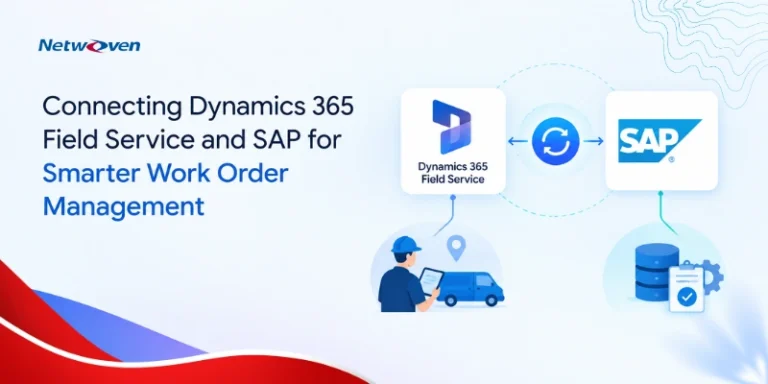
How Does Dynamics 365 Field Service and SAP Integration Improve Work Order Management
Most work orders start with a customer reaching out. From there someone must schedule the right technician or…
Netwoven delivers a structured migration approach that protects financial accuracy, maintains operational continuity, and ensures a seamless transition to the target tenant.

Trusted by Leading Brands

Whether due to M&A activity, divestitures, or strategic realignments, migrating Microsoft Dynamics 365 Business Central to a new tenant is a mission-critical effort. Netwoven provides a proven framework and experienced team to help you transition seamlessly—preserving financial integrity, minimizing downtime, and optimizing for the future.
Moving Business Central to a new tenant impacts more than data. Financial reporting, integrations, security, user access, and business processes must continue to operate throughout the transition.
Third-Party Extensions and ISV Compatibility
Data Quality, Posting Groups, and Financial Reconciliation
Integration Redesign for Power Platform, D365 Sales, and CI-J
Power BI Report Rewiring and Governance
Environment Rebuild and Security Role Realignment
Establish business objectives, stakeholder alignment, governance model, and risk framework.
Inventory environments, integrations, extensions, permissions, and financial requirements.
Prepare target tenant, security model, integrations, and migration runbooks.
Execute pilot migrations, validate integrations, and perform environment testing.
Verify business processes, financial reporting, user access, and operational readiness.
Execute production migration, validate outcomes, support users, and stabilize operations.

Integrated Dynamics 365 and Outlook to improve meeting and logistics management…

A healthcare provider improved clinic event management using Power BI and Dynamics 365…
We combine deep Microsoft expertise with proven delivery frameworks to build modern, secure, and scalable data platforms that drive measurable outcomes
Applications aligned to business outcomes, KPIs, and adoption.
Low-code innovation—architected for enterprise success.
Secure, scalable, and integration-ready foundations.
Predictable delivery with long-term sustainability.
Business Central Tenant-to-Tenant Migration is the process of moving a Business Central environment from one Microsoft tenant to another while maintaining data integrity, security, and business continuity.
Mergers, acquisitions, divestitures, tenant consolidation initiatives, compliance requirements, and organizational restructuring.
Yes. Extensions, integrations, and configurations can be assessed and migrated as part of the project, subject to compatibility requirements.
We validate financial data through reconciliation checkpoints, reporting validation, and business acceptance testing before go-live.
A carefully planned cutover strategy minimizes downtime and helps maintain business continuity throughout the migration.
All critical integrations are inventoried, tested, reconfigured if necessary, and validated before production cutover.
Yes. Netwoven provides hypercare support, issue resolution, user assistance, and stabilization services after go-live.
Whether you're planning a migration or optimizing your environment, our experts are here to help you move faster and more securely.
Prefer to call?
+1-877-638-9683Drop us a mail
info@netwoven.com🔒 No spam. Your information stays private.