Microsoft 365 Tenant to Tenant Migration | Netwoven

Microsoft 365 Tenant to Tenant Migration

Still migrating Microsoft 365 tenants with basic tools and hope? That’s how links break, users panic, and IT scrambles. We’ve got a better way - and the track record to prove it.

Microsoft 365 Tenant to Tenant Migration

End-to-End Microsoft 365 Tenant Migration for Mergers, Acquisitions & Reorgs

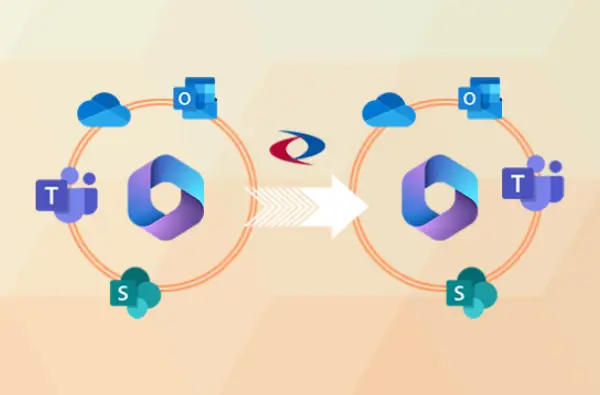
Whether you’re navigating an M&A, divestiture, or internal reorg, a smooth Microsoft 365 tenant-to-tenant migration is critical to continuity. But most migrations? They fail quietly - until it’s too late.

5 Hidden Risks of DIY Tenant-to-Tenant Migrations

  • Emails vanish mid-migration
  • SharePoint URLs break—permanently
  • Teams chats are disconnected
  • Licensing conflicts delay onboarding
  • OneDrive files become orphaned

Sound familiar? We've seen it. We've fixed it. We've built a repeatable framework that works.

Microsoft 365 tenant-to-tenant migrations are complex, involving identity, workloads, security, collaboration data, and compliance. Our migration architecture simplifies this complexity with a robust, automated approach designed to safeguard identities, preserve permissions, and maintain business continuity. The diagram below showcases how our solution delivers predictable, high-quality migration outcomes at enterprise scale.

Thumbnail

Netwoven's Tenant Migration Services Include:

We don’t just move mailboxes - we deliver end-to-end, fully managed Microsoft 365 tenant-to-tenant migration services, including:

  • Identities (AD, Entra, Okta, Ping, etc.)
  • End User Devices (Intune, SCCM / MECM)
    • Workstations (Windows, Mac)
    • Mobile (iOS, Android)
    • Virtual (Azure VDI, Windows 365, Epic)
  • SSO Integrated Applications
  • Conference Rooms
  • Content Migration
    • Microsoft 365 Content (Exchange, OneDrive, SharePoint Online, Teams, Viva Engage, etc.)
    • Non-Microsoft 365 Content (Google, Box, Dropbox, Slack, Jive, File Shares, Webex, Zoom, etc.)
  • Microsoft Power Platform (Power Apps – Model and Canvas Apps, Power Automate & Power BI)
  • Microsoft Dynamics
  • Custom Applications (SPFx, Azure Workloads)
  • Microsoft 365 Security & Compliance
    • MIP Labels
    • Encrypted Documents
    • Defender Configuration
Ready to Migrate Microsoft 365 Tenants Without Risk?

Schedule Your Microsoft 365 Tenant Migration Assessment today. We’ll identify risks, scope your migration, and give you a step-by-step roadmap-in under 30 minutes.

Key Benefits

Discover the core advantages that make Netwoven’s Microsoft 365 migration approach reliable and disruption-free.

Well Defined Migration Methodology

  • Combination of industry leading tools with proprietary custom scripts.
  • End-to-end migration solutions encompassing M365, D365, Power Platform, Azure.
  • AI-Driven risk detection and accuracy checks.
  • Expertise in handling complex scenarios, including GCC and GCC-H environments.

Adoption and Change Management

  • Robust training programs and resources to facilitate user transition
  • Focus on minimizing disruption and maximizing productivity

Proven Expertise
Proven Expertise

  • Over 100 successful tenant-to-tenant migration projects
  • Migration of over 1 million users to Microsoft 365y

Governance & Security

  • Preservation of RLS, workspace roles, sensitivity labels, and compliance requirements

Common questions about Tenant Migrations

Q1: How are migrations handled for organizations with multiple geographic locations?

Migrating Microsoft 365 multi-geo environments can be tricky because of data residency and compliance requirements. Netwoven ensures a seamless transition through:

  • Careful upfront planning
  • Tool-based migration
  • Strict residency alignment
  • Minimal downtime
  • Post-migration validation

Q2: How are third-party apps and custom solutions, such as Power Apps and Power Automate, managed during a migration?

Netwoven takes a structured approach to ensure third-party apps and custom solutions work seamlessly after a Microsoft 365 tenant-to-tenant migration.

Our process includes:

  • Pre-Migration Assessment: Creating a detailed inventory of Power Apps, Power Automate flows, connectors, and dependencies to build a customized plan.
  • Migration & Reconfiguration: Manually exporting and re-importing apps and flows, while re-establishing components like connectors, gateways, and connections in the new tenant.
  • Testing & Validation: Conducting thorough testing to confirm apps and workflows function correctly.
  • User Training & Adoption: Supporting end-users with training and change management to ensure smooth adoption.
  • Ongoing Optimization: Providing post-migration support to fine-tune and enhance the new environment.

With this approach, Netwoven ensures your business-critical apps remain functional, compliant, and optimized throughout the migration process.

Q3: What tools are primarily used for tenant-to-tenant migrations?

Netwoven uses a combination of industry-leading tools and native Microsoft solutions to deliver smooth, compliant, and efficient Microsoft 365 tenant-to-tenant migrations.

Key tools include:

  • BitTitan MigrationWiz – Reliable, all-in-one SaaS tool for migrating mailboxes, documents, and Teams workloads at scale.
  • Quest On Demand Migration – Robust SaaS platform ideal for migrating Exchange Online, OneDrive, SharePoint, Teams, and directories (Active Directory & Entra ID).
  • ShareGate – Widely recognized for SharePoint and OneDrive migrations with strong metadata, permissions, and version history preservation.
  • Microsoft Cross-Tenant Migration (CTM) – Native solution for Exchange Online and OneDrive migrations, complemented by third-party tools to overcome its limitations.
  • Native Microsoft Tools – Native solution for Exchange Online and OneDrive migrations, complemented by third-party tools to overcome its limitations.

By combining these tools with proven methodologies, Netwoven ensures migrations are secure, efficient, and tailored to each organization’s requirements.

Q4: What is the recommended approach for tenant-to-tenant migrations?

Our methodology is structured into phases: assessment, design, pilot, production migration, and hypercare. Each step includes clear deliverables such as workload inventories, migration strategy documentation, pilot results, and final completion reports. This ensures transparency and control throughout the engagement.

Q5: What post-migration services are typically provided?

Every engagement includes a hypercare support period, typically two weeks after cutover. During this time, our team validates migrated data, resolves issues, and supports your IT staff in stabilizing the environment. We also conduct a retrospective to document lessons learned and opportunities for improvement.

Q6: How are migration risks managed during the process?

We identify risks early during assessment and map them to mitigation strategies. Common risks include domain cutover timing, throttling during migrations, and reauthentication of connectors. These are addressed through staging, pilot testing, and proactive communication with stakeholders.

Q7: Can we keep our existing domain, and will there be downtime?

Yes. Your domain can be moved to the new tenant, but it must first be released from the source tenant before being verified and activated in the destination. During this cutover, a short period of downtime is expected as DNS records update. With careful planning and pre-staging, most organizations keep downtime to a few hours or less, typically scheduled over a weekend to minimize disruption.

Q8: Which workloads have the least issues migrated, and which have limitations?

We support the migration of Exchange Online mailboxes, OneDrive, SharePoint, and Microsoft Teams across tenants. However, some items—such as 1:1 Teams chats, meeting artifacts/links, Planner tasks, and Stream (classic) videos—may have limitations depending on your environment and chosen tools. Our migration experts provide a clear workload matrix so you know exactly what moves, what needs re-mapping, and how to handle exceptions.

Kaleris Achieves a Modern, Unified, and Branded Environment After Strategic Multi-Tenant Migration to Microsoft 365
Through a complex multi-tenant Microsoft 365 migration, Kaleris transformed a fragmented post-acquisition environment into a unified, secure, and fully branded digital workspace. The consolidation improved operational clarity, reduced management overhead, and provided the foundation for stronger governance and long-term scalability.
View Case Study
Kaleris Achieves a Modern, Unified, and Branded Environment After Strategic Multi-Tenant Migration to Microsoft 365

Insights

Thought Leadership

Why Choose Netwoven?

Moving from one Microsoft 365 tenant to another is inherently complex -touching identities, workloads, security policies, governance, and user collaboration data. Netwoven brings decades of migration experience, structured methodology, and automation expertise to deliver highly predictable outcomes with minimal business disruption. Our approach is engineered to protect data integrity, enforce compliance, and ensure your users stay productive throughout the transition.

Contact Us
Talk with an Expert

Prefer to call?1-877-638-9683

Drop us a mailinfo@netwoven.com

Talk with an Expert

Find out how we can help you with your organization’s digital transformation journey.

Dublin Chamber of Commerce
Microsoft Partner
Microsoft Partner
Microsoft Partner
Microsoft Partner
Microsoft Partner
Microsoft Partner
Microsoft Fast Track
Microsoft Partner
MISA
MISA
Unravel The Complex
Netwoven Inc. - Microsoft Solutions Partner

Get involved by tagging Netwoven experiences using our official hashtag #UnravelTheComplex