Why active versus inactive content now matters
A user’s OneDrive often contains years of work. Some files are used every week. Others belong to projects that closed long ago, but still have value for an audit, a customer question, or future reference.
That difference matters when the account approaches its storage limit.
Microsoft is enforcing per-user OneDrive storage limits according to each user’s license entitlement. Accounts above the licensed quota can become read-only. Enterprises should identify affected accounts, understand what is consuming storage, and choose among capacity, cleanup, and governed archiving based on how the content is used.
What Microsoft changed in 2026
A recent Office 365 IT Pros article has brought attention to Microsoft’s enforcement of OneDrive quotas. According to Microsoft’s guidance, the affected accounts are those configured above their licensed storage entitlement. If usage exceeds that entitlement, OneDrive can become read-only until the organization increases capacity or reduces usage. This is not a new 5 TB limit applied to every customer.
Microsoft describes the July update as consistent enforcement of storage already provided by the user’s license, not as a new service term. Most tenants are not affected. The relevant population is users whose OneDrive limit was configured above the entitlement associated with their license. Microsoft directed administrators to Message Center post MC1310684 and to a PnP PowerShell report that identifies users above their license-based quota.
Key dates and related storage updates
| Date or window | Update | Enterprise relevance |
|---|---|---|
| May 26, 2026 | Action deadline cited for MC1310684 | Administrators were asked to review affected configurations before rollout. |
| July 1 to mid-July 2026 | License-based quota enforcement rollout | An over-quota OneDrive can enter read-only mode. |
| September 22, 2026 | MC1477185 announced PAYG OneDrive storage | A metered capacity route was introduced for eligible tenants. |
| November 2026 to February 2027 | Window reported for some previously expanded accounts above 5 TB | This is a separate scenario associated with tenants that used the earlier Level 2 expansion process. |
What read-only means for users
When OneDrive usage exceeds the licensed quota, Microsoft says the account enters a read-only state. Users can download or delete existing content, but they cannot edit existing files or add new files. Industry analysis also reports that new file creation, uploads, saves, sync activity, and Office AutoSave to that OneDrive can be disrupted, while the rest of Microsoft 365 is not automatically locked.
| Action | Within licensed quota | Over licensed quota |
|---|---|---|
| Open/download files | Available | Available |
| Edit existing files | Available | Blocked |
| Upload/add files | Available | Blocked |
| Delete content | Available | Available |
| Save new changes to the affected OneDrive | Available | Blocked or fails |
Who is most likely to be affected?
Microsoft says most tenants are unaffected. The practical risk is concentrated in accounts whose configured limits and actual usage exceed the storage included with their licenses. The first task is therefore identification, not tenant-wide remediation.
1. Admin-elevated quotas
A per-user quota may have been raised above license entitlement for a migration or one-off requirement. The enforcement update brings the applied limit back in line with the qualifying license.
2. High-footprint active users
Video, design, research, engineering, and other data-heavy workflows may have a legitimate need for more active storage. These users need a capacity or workflow decision rather than indiscriminate deletion.
3. Departed-user content still held in active storage
Former-user content may remain valuable for audit, legal, customer, or operational reasons. It should be handled through a documented retention and preservation process, not treated as ordinary active working content.
4. Accounts with compliance-driven storage growth
Version history, recycle bins, and Preservation Hold libraries contribute to usage. A visible folder cleanup may therefore free less storage than expected.
What counts toward OneDrive storage?
The storage calculation also needs care. Microsoft includes version history, recycle bins, and Preservation Hold libraries in OneDrive usage. Moving a file to an archive does not, by itself, prove that the expected amount of space has been freed. We would measure that in a pilot.
This is why the storage report needs interpretation. Administrators should separate current working files from old versions, deleted-item retention, preservation copies, and inactive project content. Microsoft also distinguishes the individual OneDrive entitlement from the organization-wide SharePoint storage pool. Adding capacity to the shared pool does not automatically allow a specific user to exceed that user’s OneDrive entitlement.
Enterprise response options
Buying more storage may be the right answer for a user who needs to work with all those files. Microsoft provides several ways to add capacity. But before doing that, I would ask how much of the content still needs to live in active OneDrive storage.
| Option | Best fit | Key benefit | Watch-out |
|---|---|---|---|
| Upgrade the license | A user whose active workload genuinely needs the space | Restores entitlement-aligned headroom | May not address uncontrolled content growth |
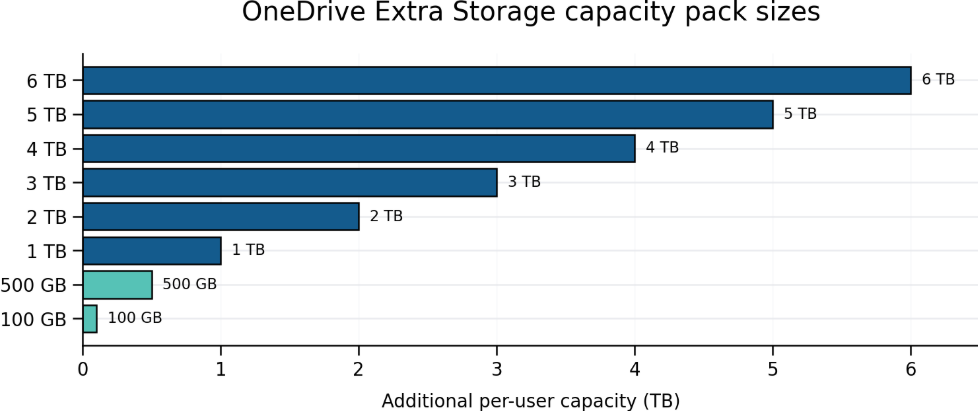
| OneDrive Extra Storage | Specific users who need incremental capacity | Packs are assigned per user | A pack cannot be split among users |
| Pay-as-you-go storage | Eligible tenants needing metered capacity | Can target selected accounts or the tenant | Requires billing governance and cost monitoring |
| Reduce usage | Redundant, obsolete, or safely disposable content | No new capacity purchase | Retention and holds must be checked first |
| Archive inactive content | Content that must be preserved but is rarely used | Separates active work from long-term preservation | Requires policy, retrieval, permissions, and savings validation |
Available capacity packs
What should stay active and what should be archived?
Consider a project manager whose OneDrive holds years of completed project material. The final documents and supporting records should remain available. That does not necessarily mean every closed project needs to occupy active storage indefinitely.
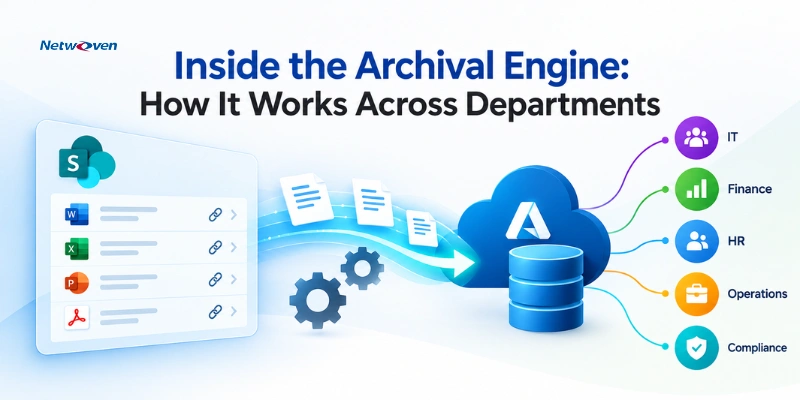
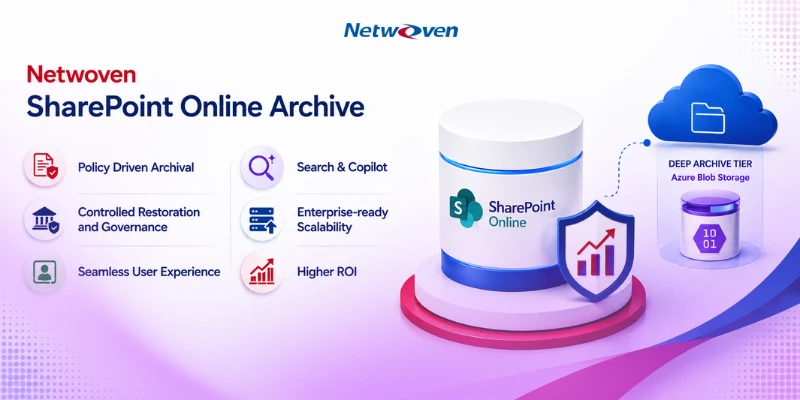
Netwoven’s ArcUp archival solution can support this conversation. ArcUp is designed to move selected content to Azure storage while retaining a way to find and retrieve archived files. For a customer facing OneDrive storage pressure, the opportunity is to assess older content, agree on what should be archived, and test whether doing so reduces the account’s counted usage.
There are trade-offs to consider. Files that people still edit frequently belong to OneDrive. Archived files need clear access and restore process. Permissions, versions, retention requirements, and legal holds must be reviewed before content is moved or removed.
| Decision signal | Keep active | Consider archiving |
|---|---|---|
| Frequency of use | Edited or referenced frequently | Rarely used after a project or business process closes |
| Operational dependency | Needed by active workflows, sync, or applications | No active workflow depends on immediate access |
| Business status | Current, authoritative working content | Historical content retained for reference or audit |
| Governance | Active access and collaboration remain necessary | Retention, legal hold, permissions, and owner approval are documented |
| Retrieval expectation | Immediate access is critical | A defined search, preview, or restore process is acceptable |
Where Purview retention-based archiving fits
Microsoft Purview Data Lifecycle Management is also adding an Archive action to retention policies for SharePoint. Qualifying retained files can be moved to Microsoft 365 Archive, remain available for compliance scenarios such as eDiscovery, and be reactivated when needed. The feature is opt-in and requires administrators to configure or update the applicable retention policy.
The archived files are excluded from Microsoft 365 Copilot indexing. That can reduce stale content in Copilot responses, but it also means an archive decision affects discoverability as well as storage. Enterprises should therefore evaluate business authority, not inactivity alone, before excluding content from active grounding.
GOVERNANCE CHECK
Before moving content, verify retention, legal holds, permissions, ownership, access expectations, application dependencies, restore behavior, and Copilot discoverability. Archiving changes where content lives; it should not weaken a preservation obligation.
A measured ArcUp pilot
I would start with a few accounts close to their licensed limits. Review the files with their owners, archive a small set of approved inactive content through ArcUp, test retrieval, and compare OneDrive usage before and after.
1. Baseline
Identify accounts near or above their licensed limit. Record total usage and the contribution from versions, recycle bins, preservation content, and inactive files where data is available.
2. Classify
Review candidate content with owners. Separate active, authoritative, retained, redundant, and archive-eligible material.
3. Approve
Confirm permissions, retention requirements, legal holds, restore expectations, and the approved archive destination.
4. Archive and test
Move a controlled sample through ArcUp. Confirm that users can find and retrieve the archived files through the agreed process.
5. Measure
Compare OneDrive usage before and after. Do not assume moving content has produced the expected reduction until the tenant reports confirm it.
6. Scale
Document the result, exceptions, ownership, and operational support model before expanding to more accounts
Microsoft’s quota enforcement gives organizations a reason to look at storage now. It is also an opportunity to make a more deliberate decision about what stays active and what should be preserved elsewhere.
Explore Netwoven’s ArcUp Solution
Is your SharePoint and OneDrive storage growing faster than your budget? Let’s discuss how ArcUp can move inactive content to low-cost Azure storage while keeping every file searchable, previewable, and retention compliant, helping reduce storage costs by over 80%.
Frequently asked questions
No. Microsoft says most tenants are not affected. The target population is users configured above the storage entitlement provided by their licenses.
The affected OneDrive becomes read-only. The user can download or delete existing content but cannot edit existing files or add new files.
Microsoft links to a PnP PowerShell report called Identify OneDrive Users Over License-Based Storage Quota. It is intended to show which users are above their licensed limits.
Microsoft lists three routes: upgrade to a license with a higher entitlement, reduce usage below the licensed limit, or buy OneDrive Extra Storage capacity for that user.
No. Microsoft treats the per-user OneDrive entitlement and the shared tenant storage pool separately. Increasing the shared pool does not let a user exceed the user-specific OneDrive limit.
Microsoft specifically calls out version history, recycle bins, and Preservation Hold libraries. These can affect how much space is recovered after visible files are moved or deleted.
Buy capacity when the user genuinely needs active access to the full dataset. Consider governed archiving when content remains valuable but is inactive, provided retention, legal hold, permissions, retrieval, and application dependencies are addressed.
The new Archive action in Purview retention policies can move qualifying OneDrive and SharePoint files to Microsoft 365 Archive. The capability is not enabled automatically and must be configured.
The files moved through the Purview retention-policy archive capability are excluded from Microsoft 365 Copilot indexing. Enterprises should validate the effect on knowledge discovery before archiving authoritative content.
References
- Microsoft Learn, OneDrive for Business storage quota enforcement FAQ. learn.microsoft.com
- Microsoft Learn, Add storage space. learn.microsoft.com
- Microsoft 365 for IT Pros, Microsoft Draws Hard Line for OneDrive Storage Quotas, 23 September 2026. office365itpros.com