Six questions IT leaders should ask before enabling it
The quick answer
File-level archiving gives organizations more choice, but the Archive button should not be the starting point. Policy, compliance, user access, and measurable savings must be designed first.
Microsoft has made an important move in 2026 by bringing file-level archiving to Microsoft 365 Archive. Organizations no longer need to archive an entire SharePoint site simply because part of its content has become inactive. Individual files can now be moved to a lower-cost archive tier while the rest of the site remains active.
Microsoft documentation also includes automatic file archive policy activities. Administrators can track when a policy is created, changed, deleted, or executed. A completed policy run can report how many files were archived, how much storage was processed, which sites were included, and whether the policy was tested in what-if mode. This is a useful step forward. But enabling archiving is only the technical beginning. The more important question is whether the archive will reduce cost without creating new problems for users, administrators, compliance teams, and Copilot.
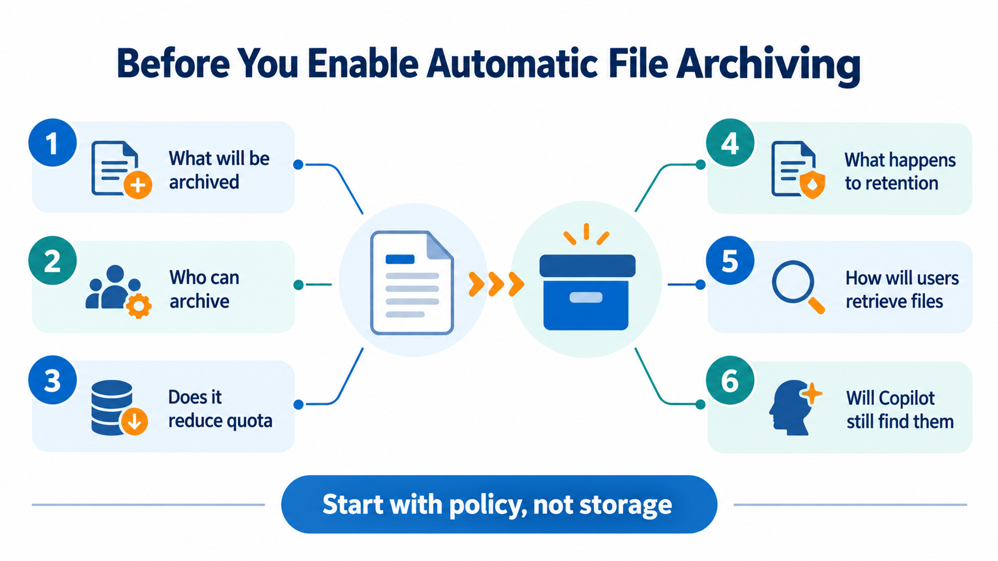
1. What content will be archived
An inactivity period alone may not be enough to make a good archival decision. A file that has not been modified for five years could be an obsolete working document. It could also be a signed contract, an approved policy, an engineering drawing, or valuable knowledge from a completed project.
Organizations therefore need to decide whether eligibility will be determined by only the last modified date or by a broader set of conditions.
- Department or business function
- Site and library
- File type and size
- Created and modified dates
- Retention requirement
- Sensitivity
- Project status
- Business ownership
A blanket policy may be easy to configure, but it can move the wrong content or leave high-volume inactive content untouched.
How ArcUp approaches this ArcUp supports a tenant-wide baseline policy together with department-level overrides. It can use automatic archiving for low-risk content and a review-and-approve process where business or compliance risk is higher.
2. Does file-level archiving reduce SharePoint storage
This is one of the most misunderstood parts of Microsoft 365 Archive.
According to the Microsoft 365 Archive frequently asked questions, file-level archiving does not reduce the storage used by the SharePoint site. Archived files continue to count toward site storage and quota calculations.
At the tenant level, the content also remains part of the total storage footprint. It is reclassified as lower-cost archived storage rather than removed from Microsoft 365. This can reduce the cost of excess Microsoft 365 storage, but it does not physically move the content outside the tenant or reduce the reported size of the site.
Microsoft explains the current model in its archive pricing documentation.
How ArcUp approaches this
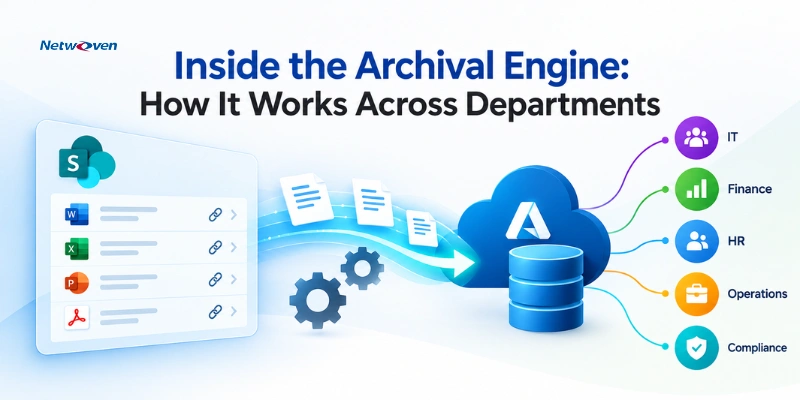
ArcUp moves eligible content into customer-owned Azure Blob Storage. The archived content leaves active SharePoint or OneDrive storage, which can reduce the Microsoft 365 storage footprint and associated overage billing.
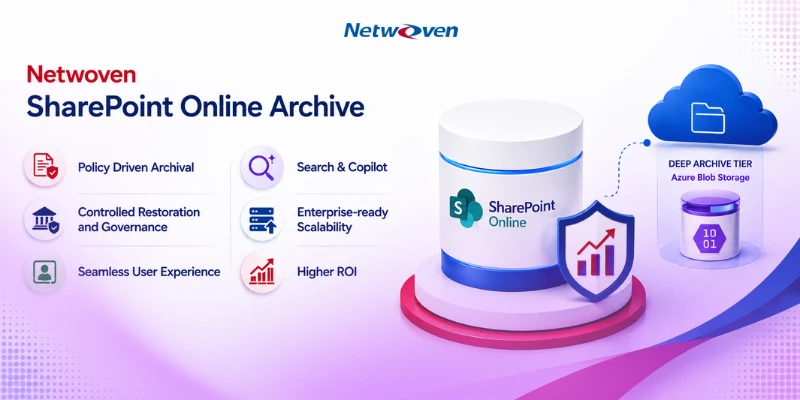
The right decision does not always have to be one platform or the other. Microsoft 365 Archive can serve as a cold tier, while Azure Blob can serve as a deeper archive tier. See Netwoven’s detailed ROI and feature comparison for a practical view of the two approaches.
3. Who is allowed to archive a file
When Microsoft 365 Archive is enabled, file-level archiving is enabled by default for SharePoint sites. Users with Edit permission can archive files unless administrators restrict the capability. Microsoft documents these controls in its guidance for managing Microsoft 365 Archive.
This may be convenient, but it introduces a governance question. Should every user who can edit a document also be able to decide that it is ready for archival?
In Finance, Legal, HR, or regulated project environments, the decision may require approval from a site owner, records manager, or administrator. Before rollout, organizations should define who can initiate archiving, who can approve it, and which sites should allow user-driven archival.
How ArcUp approaches this
ArcUp supports policy-driven archival and an on-demand Archive Now option. Permissions, metadata, folder structure, and configured versions are retained. Where stronger control is required, identified content can be reviewed before it is moved.
4. What happens to retention policies and legal holds
Archiving and retention are related, but they are not the same. Archiving decides where inactive content should be stored. Retention determines how long that content must be preserved and when it may be deleted. A legal hold prevents protected content from being deleted while the hold remains active.
Microsoft explains how retention policies and retention labels preserve or delete Microsoft 365 content. Its archive guidance also confirms that archived files retain their versions and that content under legal hold can generally be archived. Held content cannot be deleted until the hold is released.
The risk appears when archive, retention, and deletion policies are designed separately. A file may qualify for archiving because of inactivity while another policy requires it to remain preserved for much longer. These rules must be evaluated together before an automated policy is activated.
How ArcUp approaches this
ArcUp can evaluate retention and legal-hold conditions before processing content. Every archive and restore activity is recorded, and sensitive departments can use an approval workflow before content leaves active SharePoint storage.
5. How will users retrieve archived files
The cost of an archive matters, but the retrieval experience determines whether users will accept it.
Microsoft explains in its overview of Microsoft 365 Archive that archived content may need to be reactivated before it becomes fully active again. Microsoft also applies a 120-day period during which reactivated content cannot be archived again.
This may work well for genuinely cold content. It becomes less convenient when users occasionally need to read an old document but do not want to return it permanently to active storage.
- Can users find archived files from SharePoint
- Can they preview a file without fully restoring it
- Is an administrator required for every restore
- How long does retrieval take
- Are metadata, permissions, and versions preserved
- Can the file be archived again when it is no longer needed
How ArcUp approaches this
ArcUp leaves a shortcut in the original SharePoint location. Users can find and preview archived content without returning it to active storage. A governed restore request can return the file with its metadata, permissions, folder context, and configured versions.
Organizations should also establish stakeholder ownership, departmental exceptions, and change-management requirements to deploy SharePoint Online Archive successfully across the enterprise.
Read more about the experience in Keep Archived Files Searchable, Previewable, and Easy to Restore.
6. Will Copilot still find archived knowledge
Microsoft describes Microsoft 365 Archive as one way to improve Copilot readiness and information relevance. Removing obsolete drafts and redundant content from Copilot’s active index can improve the relevance of its answers.
But old does not always mean irrelevant. Completed project documents, historical decisions, product knowledge, research, and approved policies may remain valuable long after regular collaboration has ended.
The better approach is to classify content before archiving it. Obsolete and trivial content may be removed from AI discovery. Valuable historical knowledge should remain discoverable under the user’s existing permissions.
How ArcUp approaches this
ArcUp can connect the Azure Blob archive with Microsoft Search and Copilot through a connector. Approved archived content remains discoverable, while access continues to be governed by the user’s permissions.
Start with policy, not storage
Microsoft’s file-level archive capability gives organizations more choice. But the Archive button should not be the starting point. The starting point should be a clear policy covering content eligibility, departmental exceptions, permissions, retention, legal holds, restore expectations, Copilot visibility, and measurable savings.
For some content, Microsoft 365 Archive may be the right destination. For long-term dormant SharePoint and OneDrive content, customer-owned Azure Blob Storage may provide better economics and greater control. Many large organizations may ultimately need both.
Netwoven’s ArcUp Solution provides the policy, automation, user experience, permission management, and reporting layer needed to manage these choices together. It helps organizations archive content without making valuable information disappear from the people who still need it.
A useful next step
Run an archival assessment using actual SharePoint and OneDrive storage data. The assessment should show what is genuinely eligible, how much storage can be recovered, which policies may conflict, and where each category of content should be stored.
A short readiness checklist
- Measure active, version, and inactive storage separately
- Agree on tenant-wide rules and departmental exceptions
- Map retention and legal-hold requirements before archiving
- Decide who can archive, approve, preview, and restore
- Test search, Copilot, and restore behavior with representative content
- Validate expected savings using actual eligible data
That is how archiving moves from a storage action to a sustainable information lifecycle strategy.
If you have more queries, contact our experts.