A user’s OneDrive often contains years of work. Some files are used every week. Others belong to projects that closed long ago, but still have value for an audit, a customer question, or future reference.
That difference matters when the account approaches its OneDrive storage limit.
A recent Office 365 IT Pros article has brought attention to Microsoft’s enforcement of OneDrive quotas. According to Microsoft’s guidance, the affected accounts are those configured above their licensed storage entitlement. If usage exceeds that entitlement, OneDrive can become read-only until the organization increases capacity or reduces usage. This is not a new 5 TB limit applied to every customer.
Buying more storage may be the right answer for a user who needs to work with all those files. Microsoft provides several ways to add capacity. But before doing that, I would ask how much of the content still needs to live in active OneDrive storage.
Consider a project manager whose OneDrive holds years of completed project material. The final documents and supporting records should remain available. That does not necessarily mean every closed project needs to occupy active storage indefinitely.
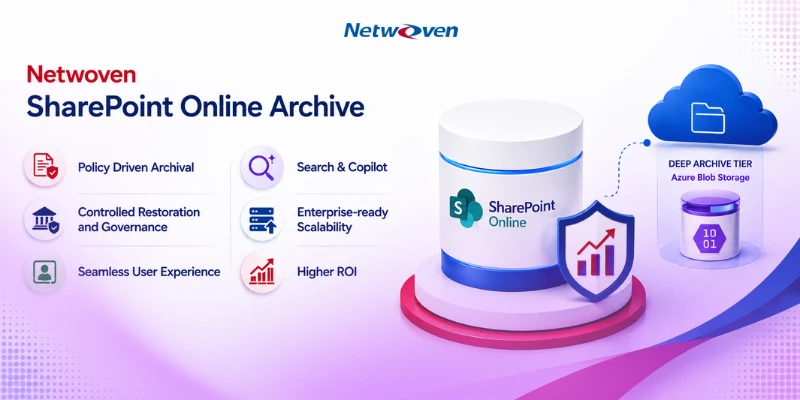
Netwoven’s ArcUp archival solution can support this conversation. ArcUp is designed to move selected content to Azure storage while retaining a way to find and retrieve archived files. For a customer facing OneDrive storage pressure, the opportunity is to assess older content, agree what should be archived, and test whether doing so reduces the account’s counted usage.
There are trade-offs to consider. Files that people still edit frequently belong in OneDrive. Archived files need a clear access and restore process. Permissions, versions, retention requirements, and legal holds must be reviewed before content is moved or removed.
The storage calculation also needs care. Microsoft includes version history, recycle bins, and Preservation Hold libraries in OneDrive usage. Moving a file to an archive does not, by itself, prove that the expected amount of space has been freed. We would measure that in a pilot.
I would start with a few accounts close to their licensed limits. Review the files with their owners, archive a small set of approved inactive content through ArcUp, test retrieval, and compare OneDrive usage before and after.
Microsoft’s quota enforcement gives organizations a reason to look at storage now. It is also an opportunity to make a more deliberate decision about what stays active and what should be preserved elsewhere.
References
Microsoft OneDrive storage quota enforcement FAQ