Introduction
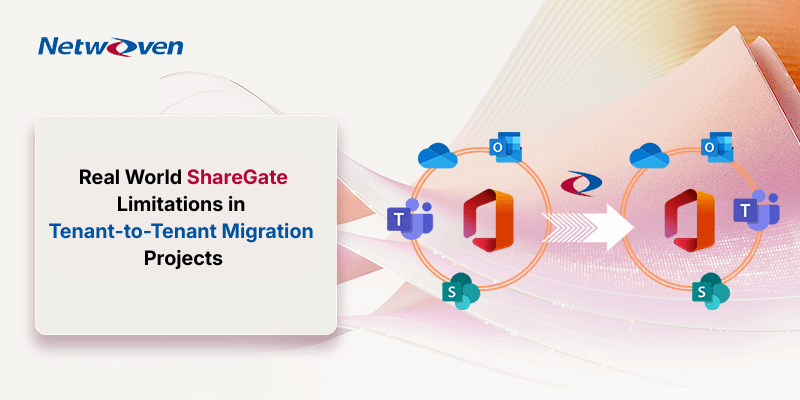
A crucial tool for migrating SharePoint data in Office 365 projects is ShareGate. It simplifies and speeds up the migration process. We at Netwoven, also use ShareGate as a tool for migration in our projects, but at an enterprise scale, we have experienced a few limitations that have a significant impact. This article narrates our experience and indicates how Netwoven has overcome those challenges.
ShareGate Limitation Scenarios and Practical Workarounds in Enterprise Migrations
Here are some situations where we fumbled with ShareGate but quickly devised workarounds without derailing timelines.
1) Shared Channels are still not supported by the tool
We built scripts and runbooks to recreate shared channels with correct membership and permissions, then validated content continuity with targeted site checks, resulting in no rework during cutover.
2) “Wiki Tab” is not supported, and the tab order is irregular after Teams copied
The migration tool ShareGate does not support the Wiki tab and does not preserve tab order. Sometimes, the OneNote Tab is not added to teams after migration. Our post-cutover checklist autohides system tabs, reorders critical tabs, and relinks OneNote where required. End users land on the right workspace on Day 1 cutover checklist autohides system tabs, reorders critical tabs, and relinks OneNote where required. End users land on the right workspace on Day 1 cutover checklist autohides system tabs, reorders critical tabs, and relinks OneNote where required. End users land on the right workspace on Day 1. The cutover checklist autohides system tabs, reorders critical tabs, and relinks OneNote where required. End users land on the right workspace on Day 1.
3) Throttling happens—plans must adapt
We employ a “pause, drain, stagger” pattern: stop all jobs, let queues clear, then ramp concurrency per workload and server, coordinated with ShareGate performance levels. This recovers throughput without triggering new throttles.
4) Version history & draft versions
If destination libraries only allow major versions, draft (minor) versions won’t migrate. We detect this pre-copy, enable draft versions (or ensure at least one major version), and rerun with the correct mapping.
5) File missing due to mismatched choice fields
ShareGate does not migrate content when Choice columns contain orphaned values or when columns are changed to Required after data already exists in the list or library. To ensure successful migration, we will run a script to the affected Choice columns to enable “Allow fill-in choices”, and columns that were made “required” post-creation should be temporarily set to Not Required before migrating the content to the destination.
6) File missing due to multiple matches with Name/Title
When identically named items exist in the source, ShareGate may not correctly identify them, resulting in many migration errors. This scenario can cause thousands of failures due to ambiguous item matching. To resolve this, we introduce an additional match criterion (a unique key value) to ensure accurate identification and successful migration.
7) Page Modernizations are not supported
Classic Page modernization is not happening automatically while running migration. We must run the modernization script to convert all the classic pages to modern pages. After modernization, there are some missing items on page content due to differences between classic and modern SharePoint. Classic pages, web parts, or customizations may not fully convert and may require redesign. To reduce impact, we review classic components in advance and plan necessary modernization updates to maintain content integrity and user experience.
8) Navigation
Navigation issues can occur during SharePoint migrations, as custom or manually configured menus may not migrate correctly to modern site structures. Mostly, the missing navigation is found when we are migrating a classic site to a modern site. This can result in missing or incomplete links. We address this post-migration by validating and rebuilding navigation as needed to ensure easy access and minimize user confusion.
9) Long URL items are not migrating
A common SharePoint migration challenge is items with URLs exceeding the 255-character limit, a platform constraint rather than a tool issue. This often results from deep folder structures or long file names. Using PnP PowerShell to identify over-limit URLs in advance allows teams to rename or restructure content proactively, reducing migration failures and cleanup efforts.
10) Post-migration validation at scale
There are plenty of errors that might occur during migration and need post-migration error resolution. It’s very difficult to filter the errors from hundreds of ShareGate jobs. Hundreds or more ShareGate reports can slow down go-live decisions. We built an automation that extracts error logs, learns from prior fixes, and generates action lists in minutes, not days. Faster triage, faster signoff. Migration validation at scale live decisions. We built an automation that extracts error logs, learns from prior fixes, and generates action lists in minutes—not days. Faster triage, faster signoff. migration validation at scalelive decisions. We built an automation that extracts error logs, learns from prior fixes, and generates action lists in minutes—not days. Faster triage, faster signoff.
11) OneDrive sharing links migration limitations (granular sharing & heavy versioning).
Some profile shares don’t map 1:1, and large version histories can drag performance. We apply deltas with SGUM/usermapping hygiene and cap versions migrated to meet schedule SLAs—while capturing exceptions for business owners. File shares don’t map 1:1, and large version histories can drag performance. We apply deltas with SGUM/usermapping hygiene and cap versions migrated to meet schedule SLAs—while capturing exceptions for business owners.
12) MS Teams channel chat conversation migration limitation
ShareGate does not support migration of Microsoft Teams channel messages or group chats. To address this limitation, we have a proven alternative solution in place. This ensures continuity of conversations and preserves critical collaboration history.
13) Managed Metadata risks: terms overwritten
Because ShareGate matches on display names, a naïve copy can overwrite term sets. Our approach avoids Term Store Admin during content moves and uses scoped termcopy patterns to prevent collisions. Copy patterns to prevent collisions.
14) Avoiding Teams membership pitfalls in Cross-Tenant Migrations
When migrating Microsoft Teams between tenants, slight differences in user identities can result in incorrect membership mapping. Automated tools may fail to align users accurately across environments. A scripting-based approach ensures the right users are added to the correct Teams.
15) Circular Look-up columns
Circular lookup column dependencies should be analysed as they can cause data to be skipped or fail during migration. Identifying and resolving these issues early helps prevent data loss and ensures a smoother migration.
Conclusion
Tools move data. Engineering moves programs. If your ShareGate project needs guardrails, scripts, or AI assisted validation to land smoothly, we’re here to help. Contact us.
Let’s compare notes: What’s the trickiest ShareGate limitation you’ve run into lately?