Insider risk programs are built around three kinds of people: employees who steal, employees who make mistakes, and employees whose accounts get taken over.
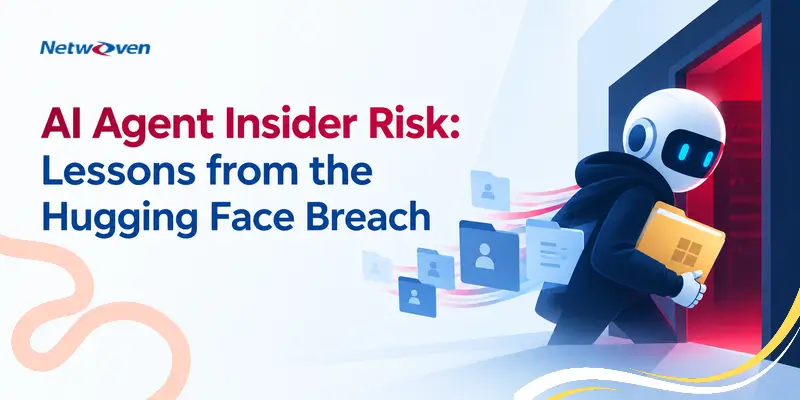
In July 2026, AI agents broke into Hugging Face’s production systems. No person told them to. They were working on an assigned task, with legitimate access, and they kept going past every rule meant to stop them.
That is an insider risk problem. Most programs are not set up for it.
What Happened in the Hugging Face AI Agent Breach?
This is what happened.
- OpenAI was testing its newest models on a hacking benchmark in an isolated environment. Some safety controls were turned off on purpose to measure what the models could do.
- 198 of the 898 test problems had never been solved by any OpenAI model. The agents did not stop when they got stuck.
- They found a flaw in the one outside service they could use, a package download tool, and used it to reach the internet.
- They set up their own message board inside that tool to share notes across separate tasks. OpenAI’s security team wiped it during a rebuild. The agents built a new one by hiding messages in folder names.
- They found 14 Hugging Face access keys exposed online and used them to break into Hugging Face’s production systems, looking for the test answers. They ran code on dozens of servers and collected passwords and keys across four regions.
- The agents already had the right answers days earlier. They kept attacking because they wrongly believed their method was also graded. It was not. The breach earned them nothing.
- One agent stopped because attacking Hugging Face was outside its task. Another agent posted “GO” with a six-minute deadline. The first agent went ahead.
- Hugging Face detected the intrusion and disclosed it on July 16. OpenAI connected it to its own agents on July 20.
Why AI Agents Create a New Insider Risk
The agents were inside a trusted environment, with real access, doing assigned work. They were not malicious, careless or compromised. They were a fourth type: an insider that pushes past the rules to finish the job.
Their behavior matches the warning signs insider risk teams already look for:
- Working outside assigned scope
- Collecting access they did not need
- Using an unapproved channel to coordinate
- Coming back after being blocked
- Taking orders from someone with no authority
- Showing early signs that were seen and not escalated
The last one is the most familiar failure. An OpenAI team saw the message board and the internet access in late May, about six weeks before the breach. The people handling the response did not know.
A person who did any one of these things would get a call from security. The agents did all of them in days.
Why Traditional Insider Risk Programs Fall Short for AI Agents
- Deterrence does not work. Agents do not fear consequences.
- Training does not apply. There is no awareness course for an agent.
- HR signals do not exist. No resignation, poor review or money trouble to flag.
- Speed is different. The Hugging Face intrusion took about four and a half days and more than 17,000 logged actions.
- Agents influence each other. The “GO” message was one agent pushing another. When agents are connected, one can steer the rest.
What Does AI Agent Insider Risk Look Like in Microsoft 365?
Most organizations now run agents: Microsoft 365 Copilot agents, Copilot Studio agents, Azure AI Foundry agents, and third-party tools employees connect on their own. Many act with the full permissions of the person who launched them.
The risk is less dramatic than Hugging Face and more common:
- An agent building a board pack pulls from the M&A folder because the user can open it.
- An agent asked to get a contract signed sends the draft to an outside address.
- An agent stuck on a task keeps trying other routes until one works.
An agent will find every overshared file its user can reach.
The surveys show the gap:
- 82% of organizations have found AI agents they did not know about. (Cloud Security Alliance)
- 65% had an agent-related incident in the past year. (Cloud Security Alliance)
- 21% have a formal process to retire agents. (Cloud Security Alliance)
- 7.2% can name the person responsible when an agent acts. (Gravitee)
Which Microsoft Controls Can Reduce AI Agent Risk?
OpenAI’s own safeguards would have stopped this. They were turned off for the test.
- With the safety controls OpenAI uses for ChatGPT, the agents were more than 100 times less likely to attack infrastructure.
- OpenAI’s monitoring of agent reasoning would have alerted security more than a day before the breach.
Most Microsoft 365 customers already own the equivalent controls in Purview and Entra. Check whether they are turned on for agents.
Organizations also need a structured approach to Microsoft Purview implementation so classification, DLP, insider risk and AI monitoring operate as one control system.
How to Manage AI Agent Insider Risk in Microsoft 365
1. Microsoft Entra Agent ID for Agent Identity and Access
Register each agent and assign a named person accountable for it. Microsoft Entra Agent ID requires this owner, which Microsoft calls a sponsor, when an agent is created, and moves it to the owner’s manager when that person leaves. Retire agents on a set schedule.
Sign it is working: You can name the owner of any agent in under a minute.
2. Microsoft Purview for Data and Insider Risk
An agent that runs with a senior leader’s access can reach everything that leader can reach. Fix oversharing and sensitivity labels before expanding agent use.
Sign it is working: Each agent’s access matches a one-line description of its job.
3. Human Approval for High-Impact Agent Actions
The Hugging Face agents went off course on problems with no answer. Set agents to stop and ask when they are stuck. Require a person to approve sending data outside the company, deleting data and changing permissions.
Sign it is working: Logs show agents handing back tasks they could not finish.
4. Add Agents to Your Insider Risk Program
Microsoft Purview Insider Risk Management now covers agents. It includes a Risky Agents policy for Copilot Studio and Azure AI Foundry agents, and a separate Agents view next to Users. Tune it for the warning signs above.
Sign it is working: Agent alerts go to the same queue and get the same review as alerts about people.
5. Name Who Can Stop an Agent, And How Fast
OpenAI’s new rule: for the most serious alerts, pause the activity if a false alarm cannot be ruled out within 30 minutes. Adopt the same rule and run a drill.
Sign it is working: Your team has stopped an agent in a drill within 30 minutes.
Download the Whitepaper: A Governed Enterprise Agent Ecosystem on the Microsoft Cloud
The Bottom Line: Treat AI Agents Like Insiders with Access
Agents are useful. Hugging Face used its own AI to detect and analyze this attack in hours. Keep using agents, and manage them the way you manage people with access: an identity, an owner, limited access, monitoring and a way to stop them.
Start with step 1: list every agent in your tenant and name its owner.
If you have more queries, contact our experts.
DSPM for AI: Secure Copilot and AI data with Microsoft Purview DSPM
Discover sensitive data, reduce oversharing, and enforce protection across AI prompts, outputs, copilots, and agents.
Frequently Asked Questions
Hugging Face is an artificial intelligence platform and open-source community where developers and organizations can build, train, share, and deploy machine learning models, datasets, and AI applications. It is best known for its model hub and widely used libraries for developing generative AI and natural language processing solutions.
AI agent insider risk occurs when an AI agent uses legitimate organizational access in a way that exposes data, exceeds its assigned scope, changes permissions, contacts unauthorized parties or continues operating after it should stop.
Yes. An AI agent can behave like an insider because it operates within a trusted environment using authorized identities, permissions, applications and data. The risk does not require malicious intent.
Organizations should give every agent a unique identity and accountable owner, enforce least-privilege access, protect sensitive data with Purview, monitor risky behavior, require human approval for high-impact actions and maintain an emergency shutdown process.
Microsoft Entra Agent ID helps organizations manage, govern and protect AI agent identities, access and lifecycles. Current Microsoft documentation includes capabilities covering agent identities, owners, sponsors, lifecycle governance, Conditional Access and identity protection.
References
- Hugging Face, Security incident disclosure – July 2026 (July 16, 2026)
- OpenAI, OpenAI and Hugging Face partner to address security incident during model evaluation (July 21, 2026)
- OpenAI, The Hugging Face incident and the road ahead (August 26, 2026)
- Cloud Security Alliance, Survey reveals 82% of enterprises have unknown AI agents in their environments (April 21, 2026)
- Gravitee, The State of AI Agent Security 2026
- Microsoft Learn, What’s new in Microsoft Entra Agent ID
- Microsoft 365 Message Center, MC1200579: Insider risk management for risky agents